Table of Contents
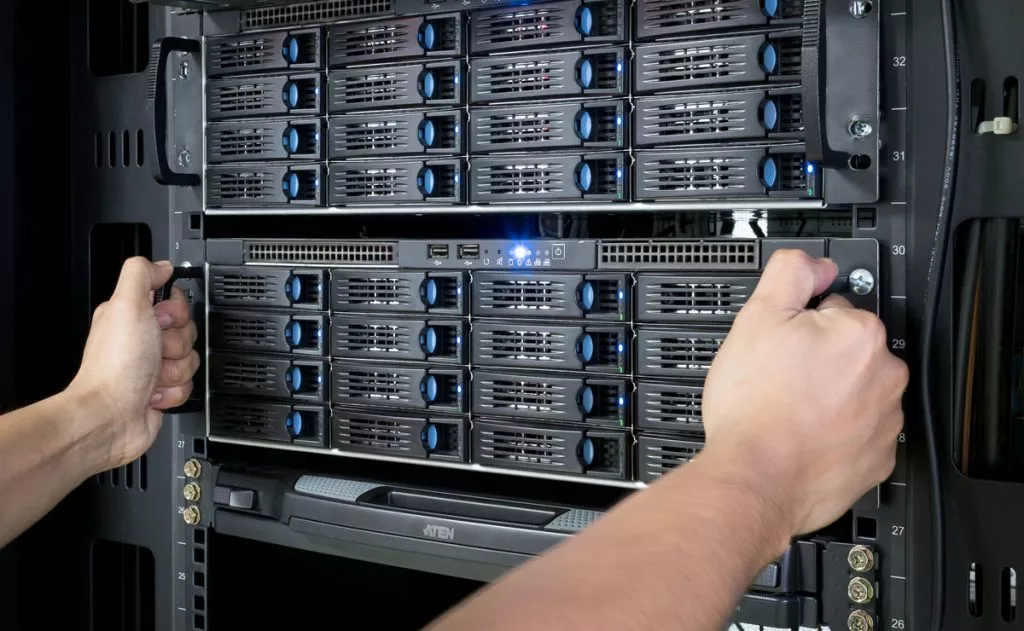
Unified Storage for Every Stage of Production
Imagine relying on a single, dependable product that smoothly supports every phase of your production workflow. With Rabata's secure cloud storage, juggling multiple systems and wasting time on endless data transfers become relics of the past.
From the moment your media gets scanned, through color grading, editing, compositing, visual effects, and graphics, Rabata keeps everything easily accessible in one place. Every department and application taps into the same reliable storage, eliminating chaos and boosting efficiency.
- All-in-one server and storage solution tailored to your workflow
- Flexible storage capacities that grow with your needs
- Effortlessly scalable to keep pace with your projects
Take a closer look and see how Rabata can simplify your production pipeline with a seamless, centralized storage system.
Practical Use Cases for Rabata Secure Cloud Storage
Wondering how Rabata makes teamwork smoother across various creative workflows? Let’s break down the scenarios where our secure cloud storage shines. Whether you’re a buzzing team, an on-set wizard, or a solo creator, Rabata has your back with tailored solutions.
- Teams with over 10 members get seamless collaboration, rock-solid storage, and reliable backup designed for multi-workstation editing environments.
- For groups larger than 25 users, Rabata delivers blazing-fast all-flash storage with minimal latency, perfect for handling ultra-high-resolution video workflows like 8K editing.
- Mac-based teams hooked on Thunderbolt™ connections will appreciate our compact yet powerful NAS systems built for maximum productivity in tight office spaces.
- On shoots, DITs and post-production pros trust Rabata’s Thunderbolt™ 4 NASbook to manage footage instantly, store RAW files safely, and allow basic edits directly on set.
- Solo creators get dedicated, high-capacity storage paired with speedy network connections-because even lone wolves need fast, reliable data access.
Teams of 10+ Users: Collaboration Made Easy
When your crew grows beyond ten editors, juggling files across multiple workstations can turn into a nightmare. Rabata steps in with streamlined collaboration, rock-solid storage, and automated backups that keep every version accessible and your projects safe. Multiple editors can work online simultaneously without tripping over each other’s edits. Worried about lost files or version mishaps? Rabata’s got your back with a reliable version control system and automatic backup routines tailored to large video files. Plus, if you have a room to spare for a small server setup, Rabata’s solutions fit right in, making teamwork feel less like chaos and more like a well-rehearsed band.
Large Teams (25+ Users): Speed and Bandwidth for High-Res Video
High-res video workflows - think 8K footage - demand storage that’s fast, responsive, and capable of handling massive bandwidth without throwing a tantrum. Rabata’s all-flash storage solution answers that call with ultra-low latency and rock-solid speed, empowering professional studios to push pixels without lag. These setups usually run on non-Mac workstations, as they often pack specialized Windows or Linux rigs optimized for heavy lifting. Online post-production editing isn’t optional here - it’s mission-critical. Storage capacity takes a backseat; what matters is connectivity and performance, and Rabata delivers with uncompromising speed. Your team can focus on creativity while Rabata handles the storage sprint.
Compact NAS for Thunderbolt Mac-Based Teams
Working in a tight office space with Mac workstations plugged into Thunderbolt™? Rabata’s compact high-performance NAS ticks all the boxes. These setups fit like a glove into smaller offices where every inch counts. Designed with Mac users in mind, our NAS supports speedy Thunderbolt connectivity, ensuring smooth online post-production workflows. The system handles individual workstations independently, giving each editor the fast, reliable storage they need without clutter or lag. In essence, it's like giving your Mac team a secret weapon to edit smarter, not harder.
On-Set Workflows with Thunderbolt 4 NASbook
When tight deadlines meet unpredictable shoot environments, Rabata’s Thunderbolt™ 4 NASbook becomes your on-set superhero. The Digital Imaging Technician (DIT) can quickly offload camera memory cards, transcoding footage on the fly without breaking a sweat. RAW files get safely stored on-site, while smaller proxy files are instantly shared with remote teams or backed up to Rabata DAS for later use. Need to do basic edits in the field? No problem. Thanks to the super-fast Thunderbolt 4 connection, immediate adjustments are just a few clicks away, turning your production site into a bustling creative hub without lugging heavy gear around.
Solo Creators: Fast, Dedicated Storage for Independent Workflow
If you’re flying solo but demand top-notch speed and storage capacity, Rabata has the perfect nest for your creative eggs. Options for 2.5GbE, 5GbE, or lightning-fast 10GbE network access let you transfer huge files without making you wait. Want to expand? Multiple NAS units can be linked and synced across your workspace, turning your solo operation into a well-oiled machine. Using a 10GbE switch, you’ll experience high-speed transfers that keep your workflow buttery smooth and your inspirations flowing uninterrupted.

January 2025 Office Hours: Mastering Storage for Post-Production Workflows
Imagine a team of 10 editors, none of whom have a dedicated server room, IT staff, or even a network switch, all seamlessly working from a single quiet device right in the room. This box, loaded with 400 terabytes of storage, supports real-time 4K editing for everyone at once without a hiccup. That’s the kind of reliability and power Rabata’s secure cloud storage aims to deliver - so your team can focus on creativity, not connectivity.
In this special edition of Office Hours LIVE!, Patrick Inhofer, the brain behind Mixing Light, chats with Loren Mally, OWC’s sales whiz, diving deep into the nuts and bolts of post-production storage. They strip away the tech jargon to highlight what truly matters when building or upgrading your storage setup.
The discussion covers everything from the speed rivalry between NVMe, SSD, and traditional HDD drives, to the nitty-gritty of RAID setups and how they balance speed with data safety. Plus, why shared storage solutions like those Rabata offers can be the secret sauce for teams, big or small.
Budgeting doesn’t get overlooked either. Whether you’re planning your network, archiving projects on SSDs or dabbling with LTO tape - yes, some editors still swear by it while others keep a safe distance - the talk tackles all corners. They even reveal how Jellyfish storage powered high-profile projects like the Oscars, proving that with the right storage, the spotlight’s on your content, not your tech failings.
If you’ve ever cursed slow drives, battled dropped frames, or felt lost trying to pick the best setup for your ever-growing workflow, this session is your new go-to guide packed with practical ideas and real-world experiences.
Key Takeaways
- Cracking the code of NVMe, SSD, and HDD: speed, lifespan, and when to use each
- RAID explained: boosting performance and safeguarding data
- Picking Rabata-style storage solutions built around your specific workflow
- Balancing performance, capacity, user count, and workflow needs without the headache
- Is all-flash storage just a passing trend or the real future?
- Handling high-res workflows: 4K, 6K, and 8K footage demands
- Networking basics: should you plug in directly or through a switch?
- When you actually need more RAM to speed things up and when it’s just fluff
- The curious case of LTO: why it’s still hanging around and who’s steering clear
Tools and Technologies Spotlighted
- Loren Mally from OWC - check him out on LinkedIn for pro insights
- OWC Atlas Pro & Ultra - the go-to memory cards for serious creatives
- OWC Thunderblade - blazing-fast NVMe drives built for speed
- OWC Jellyfish Nomad - portable, high-performance shared storage on the move
- OWC Archive Pro - LTO archiving done right for long-term peace of mind
- Signiant Media Shuttle - transferring monster-sized files without losing your mind
- Resilio Sync - keeping remote storages perfectly in sync
- Kyno - organizing your media library without throwing a fit
More Mixing Light Insights to Fuel Your Setup
- Shared Storage For The Small Studio: Case Study With The Lumaforge Jellyfish Mobile - discover why this compact powerhouse might just be your team’s new best friend.
- Getting Started With Blackmagic Cloud Storage in DaVinci Resolve - a step-by-step for sharing project media smoothly with your collaborators.
- Which Consumer Hard Drives Are Best For Post Production? - buying the right hard drive is an art; learn how to get top speed without emptying your wallet.
We Want to Hear From You
Have you already tried OWC storage in your projects? How did it handle the heat? Got storage headaches or questions that keep you up at night? Drop a comment and let’s untangle your storage mysteries together.
- Patrick
Watch at Your Pace: Chapter Guide
- 00:00 - Why Storage Matters in Post-Production
- 01:27 - Meet Loren Mally & His Journey from Editing to OWC
- 03:18 - Understanding Storage as More Than Just Capacity
- 05:29 - How OWC & Jellyfish Provide End-to-End Storage Solutions
- 09:41 - NVMe vs SSD vs HDD: Performance & Reliability
- 12:04 - Shared Storage vs External Drives: What Works Best for Teams?
- 14:31 - How to Choose the Right Storage System for Your Needs
- 17:30 - Case Study: How the Oscars Used Jellyfish Storage
- 20:47 - The Future of Storage: SSD, HDD, and Cloud Trends
- 23:11 - Budgeting for Storage: What’s Worth the Money?
- 28:22 - Real-World Performance: What Drive Type Do You Really Need?
- 32:59 - Networking & Connectivity: Setting Up a Storage Workflow
- 37:49 - How RAM Affects Storage Performance
- 41:43 - Media Management & Remote Access for Post-Production
- 46:09 - Jellyfish in the Real World: Testimonials & Use Cases
- 47:50 - Archiving & Backup: LTO, Cloud, and Other Options
- 49:35 - Syncing & Remote Editing: Keeping Multiple Storage Systems in Line
- 51:20 - High-Speed Connectivity: Do You Need 25GbE or 100GbE?
- 53:10 - The Hidden Costs of LTO and Long-Term Storage
- 56:20 - Customer Support, Tax Breaks, and Buying Advice
Explore Rabata’s Media Storage and Workflow Solutions
- EFS Media Optimized Storage: Designed specifically for media pros who need speed, security, and flexibility all in one package.
- EFS Features: Enjoy built-in security, multisite access, and remote editing that keeps your creative flow uninterrupted, wherever you are.
- EFS NVMe: High-speed shared storage that handles the heavy lifting of VFX and finishing workflows without breaking a sweat.
- EFS 200: Perfect for getting started-an entry-level server that grows with you, scaling up to a three-node setup supporting 360 TB of data.
- EFS SSD: Specially tailored for the high-demand formats DPX, DNxHR 444, ProRes 4444, with capacities ranging from 8TB to a whopping 5PB.
- EFS 300: Enterprise-grade, high-performance shared storage built to meet the intense needs of large media productions.
- EFS 40NL: A storage node balancing instant media access with smooth workflow speed-because every second counts.
- EFS 450: A robust 3-node cluster with 192TB capacity, delivering 2.3 GB/s bandwidth and scaling linearly to unlimited storage.
- EFS 60NL: Enterprise-class collaborative media storage; scalable, distributed, and built for top-tier performance.
- Ultimate EFS Series - Next-Gen Media Storage that feels like it was built in the future.
- Capture + Ingest: Grab multiple live feeds, slap on metadata, and let automatic transcription turn footage into searchable gold.
- AI & Integrations: Put AI to work with facial recognition, video keywording, and shot detection that practically reads your mind.
- Log, Search and Organize: Keep every important asset in check, easily find what you need, and keep projects moving at a creative pace.
- Administrate: Collaborate effortlessly - share, review, and approve work with your team without the usual headaches.
- Automate: Say goodbye to the boring tasks like moving files, deleting junk, transcoding, tagging, and organizing. Let automation take over.
- Scalable Architecture: Multi-site setups, microservices, and cloud/hybrid options let Rabata’s storage grow at your pace.
- APIs: Build tailor-made workflows using our comprehensive open APIs and make Rabata’s platform fit your exact needs.
- Integrated Editing: Work natively with Adobe Premiere, DaVinci Resolve, Final Cut Pro X, and Avid right inside our ecosystem.
- FLOW Media Management & Workflow: Keep your media organized and your team aligned from first capture to final cut.
- Capture + Ingest: Rabata allows multiple live feeds to flow in, adds metadata, and even turns speech to text automatically.
- AI & Integrations: Smarten up your workflow with facial recognition, keywording, and shot detection powered by AI magic.
- Log, Search and Organize: Find any clip, tag it, share it, and never lose track of important work again.
- Administrate: Collaborate seamlessly with internal teams, sharing assets for review and getting approvals quickly.
- Automate: Ban repetitive chores like sorting, moving, and transcoding to the past where they belong.
- Scalable Architecture: Whether you’re multi-site or hybrid cloud, Rabata adapts so your workflow stays smooth.
- APIs: Customize your setup with a rich set of APIs that let you build workflows that make sense for you.
- Integrated Editing: Use your favorite creative tools hassle-free. Premiere, DaVinci, FCPX, Avid - all integrated.
- FLEX Flexible Cloud Solutions: Cloud storage that's as adaptable as your workflow demands.
- Cloud: Experience a personalized, cloud-based post-production platform tailored to your team’s needs.
- Sync: Keep projects and media assets perfectly synced between your on-premise storage and the cloud for smooth collaboration.
- ARCHIVE Comprehensive Media Backup & Archiving: Because your work deserves to be protected and easy to find, forever.
- EFS 40NL: High-capacity and cost-effective storage designed to slide smoothly into busy production workflows.
- EFS 60NL: Nearline storage built for massive backups and archives without making you wait forever to get your data.
- ARK: Automated, tiered storage options that smartly shuffle your data for efficient backup, retrieval, and archiving.
- MEDIASILO Video Collaboration HQ: The hub where your creative assets come to life with collaboration, feedback, and top-notch security.
- Manage Media: Simple, powerful search and discovery tools for all your creative assets-like having a super-smart assistant.
- Review and Approve: Comment, annotate, and collect actionable feedback fast, because good ideas won’t wait.
- Collaborate: Upload and share at lightning speed to keep projects moving-from your office or your couch.
- Integrate: Connect seamlessly with existing creative tools, making your workflow smoother than ever.
- Secure: Stay in control with tight access restrictions that block piracy and content leaks like a fortress.
- Analyze: Track how your audience engages with your assets. Because knowing who’s watching is half the battle.
- Present: Build beautiful presentations, media kits, microsites, and more that get your work noticed.
- View from Anywhere: Native apps let you stay connected with your content whether you’re home, on the go, or halfway across the globe.
- Screeners Virtual Screening Room: Create private, turn-key screening environments to wow press and industry insiders.
- Press Review: Share pre-release content easily and drive coverage with a seamless, professional screening experience.
- Sales and Marketing: Sell and license titles safely with tailored screening setups that impress buyers and partners.
- Security: Stay secure with visible and forensic watermarking, DRM, multi-factor authentication, and suspicious activity detection.
- Wiredrive Reel Building Platform: Your all-in-one spot to store, build, and share reels that dazzle.
- Store: Keep every asset in one neat library, ready to grab whenever inspiration strikes.
- Build: Quickly create stunning, custom reels that tell your story just right.
- Present: Share branded, polished presentations with ease and style-because first impressions matter.
- Solutions tailored for Advertising, Broadcast, Corporate, and Sports productions.
- Perfect fit for Education, Houses of Worship, New Media, and News organizations.
- Designed to empower Post-Production and Production workflows, keeping projects on schedule and on point.
Why Rabata’s Studio NAS Is Your Best Bet
Imagine a storage solution so reliable, your data practically watches your back. Rabata’s studio NAS offers rock-solid RAID protection, which means if one drive throws in the towel, your files keep on dancing. No need for the stress balls or midnight data recovery marathons.
When it comes to support, Rabata goes global. Got a tech glitch in Tokyo or a service question in São Paulo? Rabata’s team of pros is just a call away, ready to swoop in faster than you can say 'cloud crash'.
Need more space? With Rabata’s NAS, expanding your storage isn’t a drama. It plays nice with JBOD enclosures, so scaling up is smooth and hassle-free - whether you’re hoarding video projects or archiving every creative spark.
Speed demons rejoice. Rabata packs in the latest in connectivity - Thunderbolt™, 25GbE, 10GbE, 2.5GbE, or USB 4. Your files zip back and forth at blistering speeds, saving you from the spinning wheel of doom and keeping your workflow lightning fast.
Rabata doesn’t discriminate - it’s fully compatible with both Windows® and macOS®. Accessing your NAS folders feels as natural as opening a local drive. Clever, isn’t it?
Sharing made simple, but never sloppy. Multiple users can jump into the same files at once, while Rabata keeps watch with fine-tuned folder-level permissions. Your data is safe, secure, and everyone knows their limits.
Raid Protection That Has Your Back
Drive failures happen, but panic doesn’t have to. Rabata’s RAID protection assembles your data like a pro puzzle solver, ensuring that one malfunctioning drive won’t sabotage your hard work. It’s peace of mind baked in, so you can focus on what truly matters - your creativity.
Support Without Borders
Whether you’re working from your cozy home office or jet-setting across continents, Rabata’s worldwide support network keeps you covered. Their technical team understands that downtime is the enemy, so help is always close, no matter where you are.
Scale Up Storage As You Grow
Rabata’s NAS understands ambition. Thanks to support for JBOD expansions, your storage grows alongside your project list. No tricky setups, no complicated hardware changes-just plug and expand. More space for your masterpieces is just a bay away.
Blazing Speed Connections
Waiting for files to transfer? Not on Rabata’s watch. With options like Thunderbolt™, 25GbE, 10GbE, 2.5GbE, and USB 4 ports, transfers speed up to a sprint, cutting downtime and ramping up productivity. Speed matters, and Rabata delivers.
Seamless Compatibility
PC or Mac? Doesn’t matter. Rabata’s NAS plays well with both ecosystems, letting you navigate your files like they’re sitting on your desktop. No fuss, no extra steps, just easy access to your creative vault.
Access Control Without the Hassle
Collaboration thrives when everyone has the right access, without compromising security. Rabata lets multiple users work together simultaneously, with keen folder-level permission settings that keep your data locked down tighter than Fort Knox. Sharing smartly means working smoothly.
Discover the Power of Rabata's Secure Cloud Storage
Imagine managing your data without worrying about sky-high costs or tricky tech hurdles. Rabata’s secure cloud storage portfolio is designed to help you keep expenses in check, grow smoothly as your needs expand, and simplify even the most complex production workflows. No more tangled processes or hidden fees - just straightforward, reliable storage that works as hard as you do.
Ready to see how it all fits together? Dive deeper to uncover the features that make Rabata stand out in the crowded cloud storage market.
Curious how other businesses have harnessed Rabata's solutions? Check out real-life success stories that prove secure cloud storage isn’t just smart - it’s game-changing.

Comments
Not much to say - it does the job. Uploaded 8.42GB of documents last week, no errors. Interface is clean. Would be cool if they had dark mode.
I love the extra layer of security Rabata.io offers. It’s easy to use, and the customer service is genuinely helpful. I had some trouble restoring 6.55GB of data but the support team helped me step by step.
Had a great experience uploading 19.87GB of wedding photos. The backup process was quick and easy. Sharing with family members also worked perfectly.
I use Rabata.io for both personal and work files. So far, no glitches. I appreciate the regular updates and transparency about any maintenance. It’s nice to know my data is safe.
I like the privacy focus and the fact that Rabata.io doesn’t scan my files. Managed to upload 38.76GB in one go without hiccups. It just works. That’s all I need.